20th of July 2026 – Unipi units are getting new labels: New serial number and unique factory passwords
Since July 2026, every Unipi unit ships with new labels. They carry a new serial number format with the year and week of manufacture and, on the lines with a preinstalled system, also a unique factory password. In this article, we summarize what is changing on the labels and what it means for your records and installations.
New labels come with newly manufactured units and with units that pass through service; units already in operation are not affected automatically. The other news of the July update – the new Base OS built on Debian 13, the change of the default port of the Unipi TCP service, and the Gate line's move to Base OS – is covered in the main article.
Three types of labels with every unit
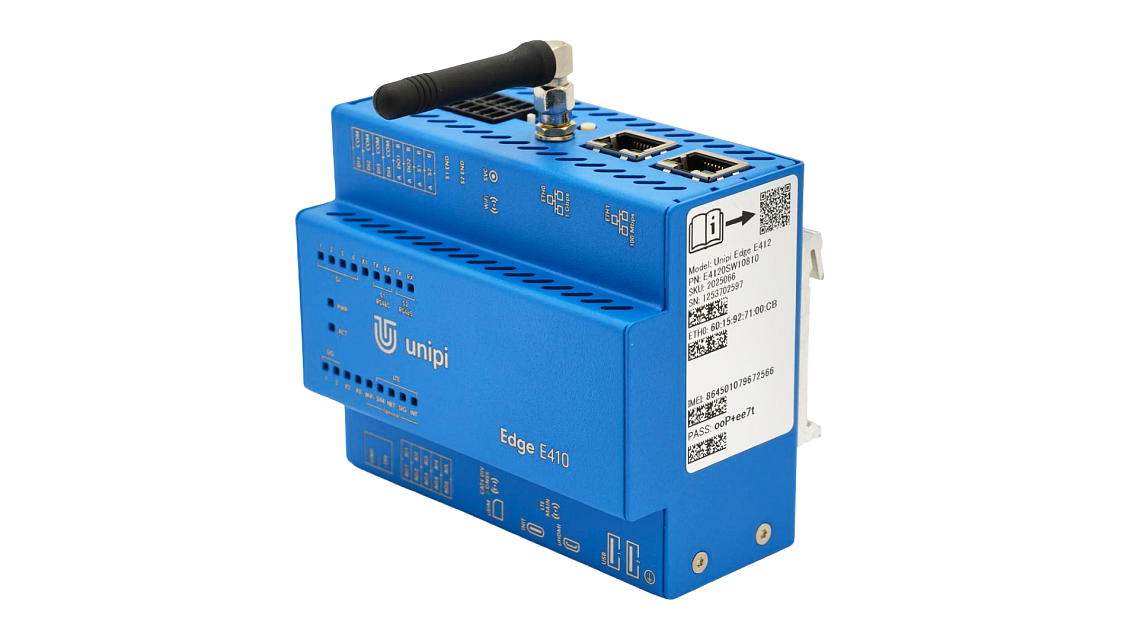
Every unit now ships with a production label, two information labels, and a packaging label. The labels are more durable, adhere better, use UL-compliant material, and are machine-readable.
The new serial number format
Newly manufactured units of all lines have a ten-digit serial number whose digits 2–5 carry the year and week of manufacture in the YYWW format. Example: 1264200001 – manufactured in 2026, week 42.
If you record or validate Unipi serial numbers in your own systems (ERP, asset management, service records), check that they accept the new format. Serial numbers of units you already own do not change – not even after servicing.
The unique factory password on the information label
Every new unit of the lines with a preinstalled system – Patron, Gate, and Edge – has its own unique factory password on the information label. You will use the factory password for your first login to the system (the system then immediately requires you to set your own password); for service mode, the factory password remains permanently valid. The new password rules apply on the Base OS system (built on Debian 13). Take a photo or a scan of the label during installation and store it with the project documentation – you will need the password even years later.
Neuron units have no password on the label – but they, too, get the new, machine-readable label with the new serial number format. When moving to Base OS with Debian 13, you create their password with a generator, as described in our guide, before booting the unit for the first time.
The label after servicing
Every unit returns from service with a new label; the serial number stays the same even after servicing. On older units, the existing unipi.technology password is retained – it is not a unique password and it is not a mistake; older units keep this password even on Debian 13.